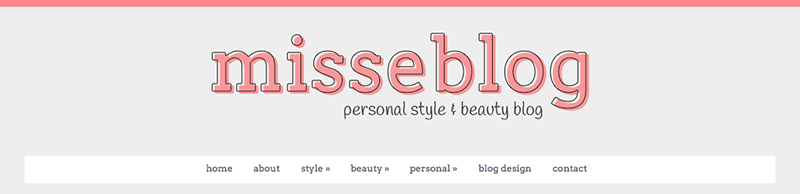
Today’s tutorial is about adding a border or image to the top of your blog along the browser window. It’s really quick and easy but can really bring your blog design together. If you try it out, let me know below. I’d love to see how you customised it.
Heads up! This post is no longer being updated, so some details may be out of date.
Turn off Bloggers navigation bar
Go to Layout > Navbar and select off. We turn it off because otherwise it will be shown over our image.
Add image to top of blog
Create your image, you can use GIMP which is a free alternative to Photoshop. You can make it small in width as it’s set to repeat horizontally. Upload your image to Dropbox, Photobucket, Flickr or another image hosting site.
On Blogger, go to Template > Edit HTML and search for ]]> </b:skin>. Right above ]]> </b:skin> paste the following code. Paste your image code and adjust the height.
body .navbar {
height: 50px; /* ADJUST THE HEIGHT */
padding: 0;
margin: 0;
background: url('DIRECT IMG URL HERE') repeat-x; /* ADD IMAGE */
}
Alternative – you could also add the code above to body { ... } in Template > Edit HTML. If you’re a WordPress user, you can use this tutorial with body { ... } instead of body .navbar { ... }.
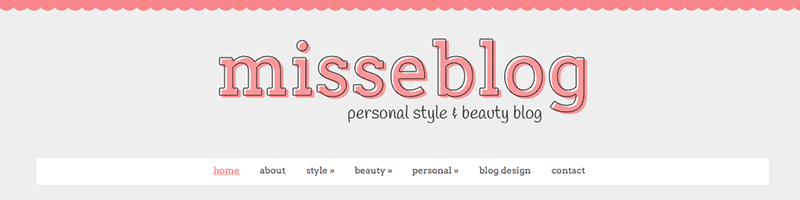
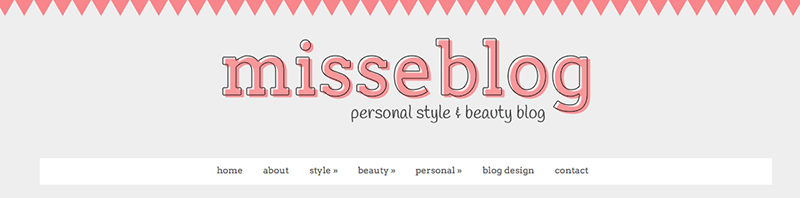
Add a border to the top of your blog
On Blogger, go to Template > Edit HTML and search for ]]> </b:skin>. Right above ]]> </b:skin> paste the following code, change the border thickness, style type and colour. You may need to adjust the height as well if there’s too much space between the border and your header.
body .navbar {
height: 20px; /* ADJUST THE HEIGHT */
padding: 0;
margin: 0;
border-top: 10px solid #EEEEEE; /* ADJUST THICKNESS, TYPE, COLOUR */
}
Alternative – you could also add the code above to body { ... } in Template > Edit HTML. If you’re a WordPress user, you can use this tutorial with body { ... } instead of body .navbar { ... }.